







Crayonbird
Menu

Study skills · Ages 7–10 · 50 minutes

Staying safe online

Children know which information should stay private online, know that they should stop and tell a trusted adult whenever something online worries them, and practise what to say.

Success criteria

  • I can name information that I keep private online
  • I can name my trusted adults
  • I know what to do if something online worries me

Key vocabulary

  • online
  • private
  • personal information
  • password
  • trusted adult
  • report
  • block
  • kind
  • upset
  • worried

You will need

  • scenario cards (written in advance)
  • a large outline of a person for the "private" display
  • sticky notes
  • sorting cards (safe to share / keep private)

Practice sheets

Generated fresh each time you press a button, and marked instantly on screen.

  • Support

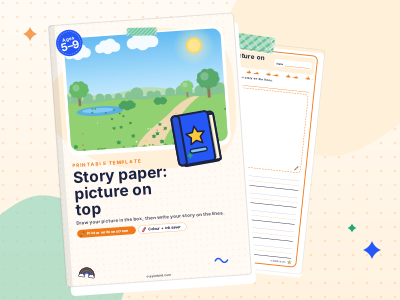
    Story paper: picture on top

    PrintPaper only
  • Core

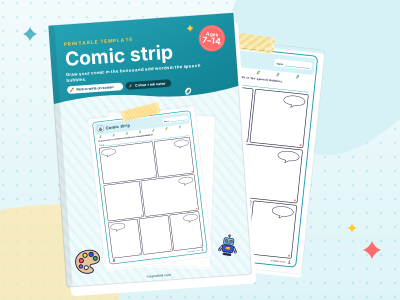
    Comic strip

    PrintPaper only
  • Stretch

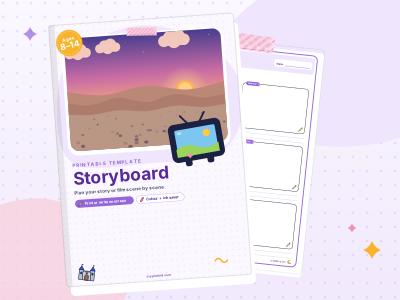
    Storyboard

    PrintPaper only

The lesson at a glance

50 minutes in all. Timings are a guide: follow your class.

  1. Step 1: Starter

    Ask: "What do you like doing on a tablet, phone or computer?" Take answers: games, videos, video calls with family, learning apps.
    5–10 min
  2. Step 2: Teach

    Introduce two big ideas.
    10–15 min
  3. Step 3: Guided practice

    Read scenario cards aloud and discuss what the character should do.
    15 minutes
  4. Step 4: Independent practice

    Children show the Stop, think, tell rule as a story.
  5. Step 5: Plenary

    Sort cards together into "OK to share" (my favourite colour, my favourite animal) and "Keep private" (my address, my password).
  6. Step 6: Assessment for learning

    Can children name at least three things to keep private?
  7. Step 7: Differentiation

    Support: use picture cards for the sorting and act out the scenarios with puppets.
  8. Step 8: Common misconceptions

    "I'll be in trouble if I tell." Telling is always the right thing to do.
  9. Step 9: Home link

    Agree together who your child can tell if something online worries them, and where devices are used at home.

Online safety lessons can easily make children anxious. This one stays calm and practical: there are a few pieces of information we keep private, and there is always one thing to do if something online feels wrong. Stop, and tell a trusted adult. Children will never be in trouble for telling.

1.Starter

5–10 min

Ask: "What do you like doing on a tablet, phone or computer?" Take answers: games, videos, video calls with family, learning apps. Say: "The internet is brilliant for lots of things. Today we're learning how to enjoy it safely, the same way we learn to cross the road." Six minutes.

2.Teach

10–15 min

Introduce two big ideas.

1. Some information is private. Draw a large outline of a person. Inside, write what stays private: "my full name, my home address, my school, my phone number, my passwords, photos of me." Script: "These are things we don't share with people online, even if they seem friendly. Passwords are only for you and the grown-ups who look after you."

Explain why calmly: "Online, you can't always be sure who someone really is. A person might say they're nine years old when they are not. That's why we keep private things private."

2. Stop, think, tell. Write it on the board.

  • "Stop: If something online makes you feel worried, upset, scared or confused, stop. You can close the lid, turn the screen over or press the home button."
  • "Think: Is this kind? Is this safe? Would I be happy for my trusted adult to see it?"
  • "Tell: Tell a trusted adult. You will not be in trouble for telling. It is never your fault."

Ask each child to think of two trusted adults, one at home and one at school.

  • computer
  • phone
  • TV
  • house
  • school
  • key
The same rules work on every screen: keep private things private, and tell a trusted adult.

The rest of the plan

Guided and independent practice, the plenary, assessment for learning, differentiation, common misconceptions and the home link are free with a Crayonbird account.

  1. Guided practice15 minutes
  2. Independent practice
  3. Plenary
  4. Assessment for learning
  5. Differentiation
  6. Common misconceptions
  7. Home link

Learning Wiki

Flashcards

Flashcards are small cards with a question on one side and the answer on the other. They work best when you answer from memory before you flip.

Growth mindset

A growth mindset is the belief that abilities can improve with practice, good strategies and help. A fixed mindset is the belief that you either have a talent or you don't.

Mind maps

A mind map is a diagram with one main idea in the centre and branches spreading out to related ideas. It helps you organise a topic and see the connections.

  • Study skills · Ages 7–9 · 50 min

    Algorithms without a computer

    Children write a clear, ordered set of instructions (an algorithm) to complete a task, test it, and debug it when it goes wrong.

  • Maths · Ages 8–9 · 50 min

    Equivalent fractions

    Children find equivalent fractions using a fraction wall and explain that multiplying the numerator and denominator by the same number keeps the fraction the same size.

  • Maths · Ages 8–9 · 50 min

    Finding fractions of amounts

    Children find unit and non-unit fractions of amounts by dividing by the denominator and multiplying by the numerator, and explain each step with a bar model.